Showing posts with label science. Show all posts

Saturday, February 27, 2016

Thinking Caps ON! STEM Challenges in Science

What happens when you give students a random assortment of materials (rice, popsicle sticks, straws, tea bags, glue, jelly beans, and toothpicks... to name a few) and challenge them to create something? Magic! Magic happens! This year, I've really embraced STEM challenges in my science classroom and I strongly believe you should do the same.  I can't take credit for these incredibly creative challenges. SmartChick Teaching has been my source of inspiration! I highly encourage you to check out her TpT store here. 

Here's a recap of the there projects we've competed in 2016:


While studying animal adaptations, students were challenged to create a bird's beak. Their beak could be designed to pick up rice, beans, lentils, or seeds. As you can see below, some groups wanted to "be the bird" and truly experience this STEM challenge!


My students are currently in the midst of their American Revolution unit. I wanted to join in on the fun in science... so we created structures to keep tea bags dry when dumped in the Boston Harbor. Originally the task was to create a "crate", however... I was flexible with different designs that were presented. I couldn't crush the creativity happening in the room! 


We even had a live stream of the Boston Harbor playing through our Apple TV.  We decided it wasn't the best idea to stand in a semi-circle around the table for the rest of the day, so we played a live feed and continued about our business. 

By the time the end of the day rolled around, all of the tea bags were still dry... we had to sink them. It was very exciting! 

Our latest project was building geodesic domes out of jelly beans and toothpicks. Students had to build the strongest structure. To find the winner, we put chapter books on top of the structure. The current champion held 13 chapter books! It was incredible.


During this project, I felt like I was the host of a cooking show. Bouncing around from group to group, channeling my inner Giada De Laurentiis, asking each group to tell me about their project and asking, "why did you decide to use a jelly bean that way?" 

At the conclusion of each project, we've debriefed and had great conversations about what went well, what didn't work out so well, and what we learned about engineering. After every project, each class has commented how powerful it was to work as a group because everyone offered great ideas and contributed to the genius of the project. 

Tuesday, December 1, 2015

Watch Out Discovery Channel! We're Space Experts!

Let me start by saying, this was one of those projects where I wasn't really sure what was going to happen. I knew what standards I was teaching and gave each of my students a solid rubric - but from there I was anxious to see the direction it went. I can honestly say I learned a valuable lesson about trust and being willing to try - even when you think it may be too much to handle.  I was so amazed by what the students created together. It was a swift reminder that I don't always have to be in control of every little detail. Hop over to our YouTube channel to see what I mean. 

Now, let's get down to business. Who can get me in touch with Discovery Channel so we can start broadcasting our knowledge of the universe? Email me. :)
--------------------

This project was broken into three different phases. Overall, it took us about 5 days total (or five class periods of 50-min each). The last day was more of a catch up/clean up/submit to YouTube. 

First, we broke out to in expert groups based on interest. Students were able to choose if they wanted to research the Sun, Moon, or Earth. On Google Classroom, I provided a "research guide" with specific questions about the Sun, Moon, or Earth (depending on their topic of research). I tailored the questions to our specific standards to ensure students were researching the appropriate facts. Plus, I provided specific links because I didn't want my students to get lost in the world wide web - it can happen you know!


The next step was to create informative movie clips about their respective topic. You can view those on Google Drive here. This is where the fun began! Students collaborated in their expert groups with a partner to develop a script for their movie clip. They were informed their movie clip would be used in a collaborative iMovie in the following days. In our school Maker Space, we have a green screen available - so we decided to do some filming in outer space thanks to the DoInk app!


Once partners had filmed a movie clip, they AirDropped it to their partner. The final step of the project was to form a collaborative group with one Moon expert, one Sun expert, and one Earth expert. From there, students put all of their movie clips together and began the editing process. Students had access to their rubric/checklist via Google Docs at all times. Prior to each class, we would review the rubric to remind students of what was expected for the video. You can check out the rubric here. 


Today, students were quite giddy when they heard their videos were officially published to YouTube (with parent permission!).  They were so excited to go home and subscribe to our classroom YouTube Channel. 

Saturday, June 6, 2015

Bringing Passion into Science

We always wrap up our year in science with informational writing. For four years (the entire time I've been a 5th grade teacher), I have changed the project. Fourth quarter would roll around and I would get the itch to switch things up a bit and make the project more fun and even better. 

Back in January, I read the book "A More Beautiful Question" and was inspired to structure my informational writing unit around asking an "un-googleable" and more beautiful question. We used the Genius Hour approach to form our research topics and my kids were OFF.  You know you've got your students hooked when they asking to write ALL day.  

I wish I could have bottled that excitement and engagement for writing and sprinkled it throughout the year when we needed a little bit of motivation. Hmm.. maybe I should call Shark Tank?

Fast forward to 4th quarter in science. At this point, we've wrapped up our state testing and my kids were ready for a new project. I used the same approach as earlier in the year and asked the students to focus on a topic (science related) that they were passionate about. 

On day one... I walked through the thinking process myself. I narrowed down my absolute-favorite science subject (solar system) and started thinking aloud to help pinpoint a specific question. Through all of my thinking, I came to the big question: how can humans live on the Moon? Then, I sent my scientists on their merry-thinking way. 

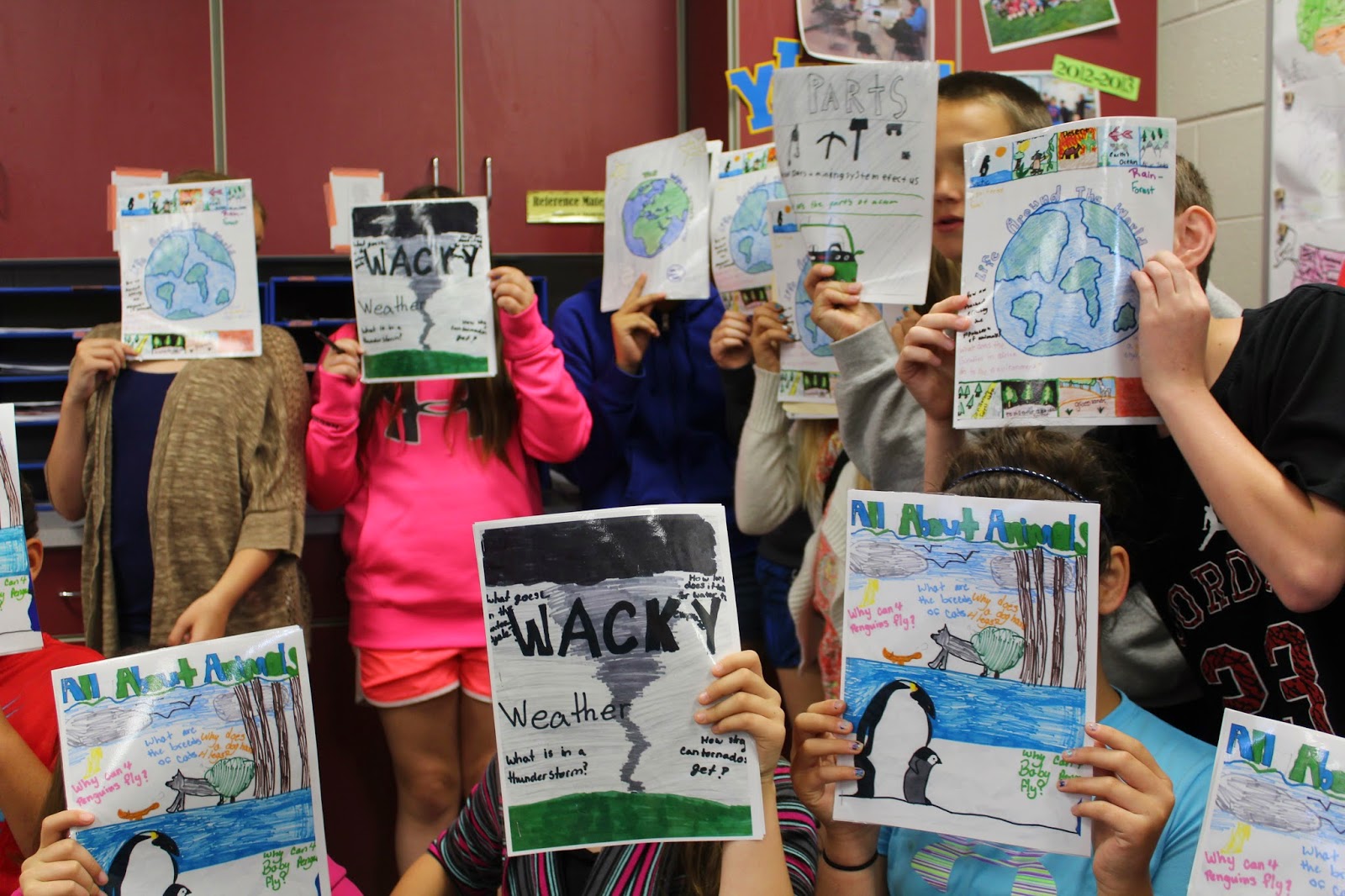
On day two... I introduced our nonfiction magazines. I projected a picture of Sports Illustrated and asked my kids to discuss what kind of information I would be reading in this publication. Hands flew up in the air and everyone told me it was about... sports. I showed a few other magazine covers and had similar discussions. I wanted to illustrate the idea that some magazines are meant for specific audiences. I'm only reading HGTV magazine because I'm super into home improvement right now! You won't find me reading a Sports Illustrated anytime soon.. sorry Scott. Then, I had my students break into small groups based on their passions. These small groups had the task of designing a magazine cover and picking a title. 

From there, students took their passion projects through the writing process and published magazines! 


This may be the project I'll be repeating during year five!

Wednesday, March 11, 2015

"Simple as That" Project Meets the iPad in 2015

If you've been an avid follower of my blog for years, then you may remember my post in February of 2012 about our simple machines project. 

For the record, if you really have been reading my blog for that long.... I'm sending you a virtual hug right now. 

Now...hop in your time machine and flashback to 2012. 


Using the six computers in my classroom and Publisher my students created advertisements for Wal-Mart selling simple machines that had been disguised as common household products. Read more about the logistics and requirements for the projects ---> here. 

As the technology in my classroom has changed this project has evolved. Because of our iPads, we were able to do the same project this year... except we gave it major facelift and upgraded to Explain Everything! 

To begin the project, I handed out the project description and checklist. After we discussed what Wal-Mart would be looking for in the ads, I asked my students if THEY could be the teacher this time. Of course, students were more than willing to grade my work. :) While my 30-second ad played, students were checking off things I had included. 

For your viewing enjoyment, "Furnelly's Forks & Company":


I was slightly weary of showing an example to my students. I didn't want to stifle their creativity. However, I really think the example helped get my students in the right direction. The example was a great way to demonstrate my expectations for the project. I was also able to demonstrate how to get your point across - and stay focused - in about 30 seconds. 

Tomorrow we'll be uploading our projects to Dropbox and viewing the advertisements in class. Hmm.. I wonder if Wal-Mart will pick any of our products? :)

Wednesday, February 11, 2015

How Does Light Color Affect Plant Growth? We're Going to Find OUT!

I'm positive I've mentioned on my blog that I do have a few subjects in science that aren't exactly my favorite..... 
Anyone else have those moments in teaching?

Oh just me, huh?
The silver lining in having a least favorite subject to teach is the fuel it gives you to find engaging and interactive teaching materials. Last year, I purchased a "Seed Investigation" on TeachersPayTeachers from HelloLearning and it totally rocked our classroom. We were planting seeds, designing our own investigations, and having the best time studying plants. Who knew it was possible? (I totally recommend checking out HelloLearning's shop on TpT. You won't regret it!)

A few weeks ago, I started mentally preparing for our classification unit because it was on the horizon. It's all about the attitude, right? If the kids can see I'm not happy... then no one is happy! So by golly, we were going to make this unit rock two years in a row! After collaborating with a high school teacher and friend, he suggested a fantastic plant experiment for my kids. What if we tested how the color of light affects plant growth? Using the resources I purchased last year from HelloLearning, we set up another experiment testing light color and plant growth. Let's just say... this experiment is the cat's pajamas. 

Literally a cat wearing pajamas.

Here are few of my "live" tweets about setting up the experiment on Tuesday. 


Share with me! What are your best lesson for teaching classification? 

Sunday, January 25, 2015

5th Grade Explains it All - Vertebrates Project

We kicked off the new year with a few new apps in 5th grade. (Catch up on my other iPad posts here) I've been anxious to use the app Explain Everything with my students since downloading it myself back in August. One of the (many) things that intrigued me about Explain Everything was the functionality - I could use it as a teaching tool and my students can create projects as well. 

As our first Explain Everything production, I decided to introduce the tool during my science classes (I have three sessions this year!). Mastering the five classes of vertebrates is a big deal in 5th grade and I thought it would be great - and equally fun - to introduce Explain Everything with this unit. 

My requirements for the project were the following:
Name the 5 classes of vertebrates
Provide three living examples of each vertebrate
Identify three characteristics of each vertebrate

From there.. the sky was the limit!

I strongly believe what made this project so successful (and fun.. have I mentioned how much my kids loved it?) was the intense app tutorial I provided on day one. I justified spending more time on introducing the app to eliminate confusion and frustration for the rest of the year. I simply introduced all of the features and walked through different samples with the kids. This way, they would spend more time focusing on the content of their project and not playing with the lightsaber feature. (Can you tell we had to spend time playing with the lightsaber?)

Once the kids started working on their project... they were ALL IN. Within 10 minutes, my students were showing ME the features I hadn't figured out yet. Pretty incredible! 


I anticipate our next encounter with Explain Everything will not be as elaborate. I want students to see the app as tool to demonstrate their understanding of multiple content areas. I'm excited to see what else we create this year!


Curious to see some of our projects? Check out our playlist on YouTube! (P.S. Creating a playlist was a great and easy way to share our projects with families!) 

Wednesday, January 7, 2015

Classifying Vertebrates Pre-Test Through Socrative!

It's amazing how, when I'm relaxing on my couch, my to-do list seems so bare... then the moment school kicks off, things are rolling at full speed again! Whew.. deep breaths!

This year, our 5th grade has been fortunate to have 6 iPads put into every class as a replacement for our laptops. As each day passes, we are finding more and more ways to utilize our iPads to impact our instruction. One of the apps I'm a BIG fan of is Socrative. One of my colleagues wrote an awesome post on our "Tech Tidbits" blog at my school about using Socrative. Check it out here ----> UETechTidbits. In the post, she gives an overview of Socrative and how to use it in the classroom.

If you're curious about Socrative, I would watch this informational video or simply follow their posts on Twitter. I'm always gaining ideas just from their tweets!


Access Socrative Twitter Profile
One of the huge benefits of Socrative is that it is not limited to just one device - even if my classroom wasn't equipped with iPads, I could still utilize this response system in my classroom. Pretty fancy, huh? 

In science, we are starting our animal classification unit. Based on a consensagram from the beginning of the year, this is the unit my students are HIGHLY anticipating and they haven't let me forget about it. Which means.. I've got to up the anty and make it worth the wait!


Now, all of my blabbing and going on and on leads me to an eight digit number. This post was was simply a ploy to get to you snag this number and use my "Shared Socrative Quiz". If you are a teacher in need of a pre-test over the five classes of vertebrates - look no more! I've got you covered!

Vertebrates Pre-Test:

SOC #:

14406769

Now... share with me find educators! How have you utilized Socrative in the classroom? I'm eager to learn more! 


Tuesday, November 4, 2014

Scientific Method iMovies

I'm sure you're all familiar with the book, "If You Give a Mouse a Cookie..." by Laura Numeroff, right?
Source

Well... if you give a kid an iMovie project to create...
You're going to need some patience.
If you give a kid an iMovie project, you're probably going to need some props and costumes to go along with the project.
Then, when other students see one group with a wig and a microphone.. you're PROBABLY going to need to find six more wigs, 6 more microphones, and 8 more feet in your classroom to make space for the creativity happening.

Catch my drift? :)

 In previous years, I have had students create scientific method comic strips demonstrating their understanding of the scientific method. This year, I decided to utilize iMovie and have students create a movie to illustrate their knowledge of the scientific method process.

Let's just say... it was pure chaos in my room for a few days. I started to sweat wondering if this project was even making an impact? Were they learning anything? Were they truly showing me what they knew about the scientific method?

I held my breath. Counted to ten. Crossed my fingers and toes and hoped for genuine learning to happen. I even had time to snap a few pictures and send a tweet or two:

Then... it was presentation day. I had watched the chaos, costumes, accents, and shenanigans unfold for several days and I held my breath as I pressed play on my computer.

It was like the scene from Sleeping Beauty where Aurora begins singing with the animals in perfect harmony...


Everything came together. The projects came together. They were clearly demonstrating their knowledge of the scientific method!

Despite my hestitation and worry about the project, they were a smashing success. Since then we have been on an iMovie roller coaster creating projects left and right. We just wrapped up individual goal videos, erosion and weathering videos in science, and are starting book trailers! #weloveiMovie

Share with me teachers, how do you use iMovie in your classroom?

Thursday, October 2, 2014

WANTED! Elementary Meteorologists to Collect Weather Data!

We are starting our new unit in WEATHER and we need YOU! Connect with my class through our first Skype lesson. We will be collecting data throughout the month of October and we want your weather data as well. 
Check out the lesson and SHARE!

Friday, August 29, 2014

Meet the Fairy Scientist

Every year, we begin our year in science by chatting about scientist stereotypes. Students illustrate a picture of the "scientist" they have envisioned in their head and we have great conversations about how we ALL are scientists.. we don't have to look like a mad man to be a scientist! Every year, I have structured the activity differently and each year yields different conversation. One year, I even dressed up like a mad scientist - now that was FUN! Read about it here.

Like year's past, students first illustrated a picture independently in their science notebook of the scientist they were imagining in their head. Then, we chatted about similarities in all of the pictures and common themes and characteriristics we noticed. 

For the most part, the illustrations looked something like this....
 

Then, I brought everyone to the carpet and showed them this video:

Lydia the Fairy Scientist


At the conclusion of the video I posed the following question to the class, "Why would I show you this video?"

The conversation was amazing! Students were breaking down stereotypes of scientists and talking about how scientists can be anyone and have a passion for ANYTHING. 

To wrap up the lesson, we wrote in our notebooks, "A scientist is someone who..." Then small groups filled in various characteristics based on our conversation. 

Fantastic way to kick off the year!

Monday, August 11, 2014

SPOTLIGHT Bulletin Board Idea

During my first year of teaching, and Fellows year, I conducted an action research project on using nonfiction text during read alouds and how it affected students reading nonfiction on their own. During that year, with guidance from my mentor, we created a hanging bulletin board where I would "Spotlight" the nonfiction text we were reading for the week. It was a great resource and reminder for students of the books we had read and were available to them as readers. 


Fast forward to my current 5th grade classroom. I am fortunate to have a HUUUGE wall in the back of my room. The past few years, I've bounced back and forth between what to put on that wall and this year I decided to create another spotlight!


Because I teach three sections of science, the bulk of my material posted on the wall revolves around our science content. If you're like me, I am constantly swapping out posters and materials depending on what we are studying. One of our first "spotlights" will be on the scientific method, once we move onto weather, I will change out the posters and objectives for our next unit. 

What bulletin boards do you have around your room spotlight content areas? Share your ideas with me!

Monday, June 2, 2014

Some More of What?

Source
What better way to wrap up a great year in science class then eating s'mores on the high school lawn? We are fortunate to our have our high school and elementary school within walking distance of one another.  I am not sure why it took me three years to start collaborating with high school teachers - c'mon Jordon! Get it together! Luckily, I had two teachers more than willing to let my students learn a thing or two from their high schoolers. 

After chatting with a friend and high school teacher, we decided it would be a great idea to have our kids construct solar ovens in our respective classrooms and then share our designs with one another.  Once I told my students they would be collaborating with high schoolers and eating s'mores - they were hooked! 

For almost two hours (yes! It's true!) my kids were hard at work on their ovens. Using pizza boxes donated from a local Italian restaurant, Lil Rizzos , and materials borrowed from the kitchen.. my students began constructing. 


On an exceptionally sunny day that week, we set out our ovens, crossed our fingers, and hoped for the best. In case you're wondering - yes - I made myself a s'more too. 


A few hours later, we came back to find our chocolate had melted into an ooey-gooey delightful afternoon treat. We enjoyed our s'mores, chatted about why our solar ovens were successful, and checked on the progress of our high school friends' ovens as well. Great conversations paired with learning and a delicious treat sound like a great afternoon to me!


This video was a great resource for my kids in the planning stages of their solar ovens - especially for those with little to no experience (cough - me included - cough). 


Monday, May 12, 2014

Guest Post! Reviewing Science Vocabulary

Even though my blog has been pushed to the side (frequently) this year, I still firmly believe it's one of the most powerful ways to connect with educators. This post is one of the reasons why I believe in the blog! A fellow teacher in Missouri, Cori, reached out to me through my blog and since then we've been emailing back and forth sharing ideas. Below you will find her fantastic idea on using games (Pictionary, Taboo, etc.) in the classroom to spice up your review of vocabulary.
---------
I love playing games: card, board, video, word, mind. So any chance I have to incorporate games into my classroom, I am all over it! When we finished our final science unit before the MAP test, I wanted to incorporate vocabulary into our review, but of course I wanted to make it fun for everyone, myself included. I needed something that the students would look forward to while we did our other review activities. I knew some quick & easy educational games were the answer.

As I began thinking about the kinds of games I wanted to play, two came to mind rather quickly: Pictionary & Taboo. My kids love to draw and we have played a version of Taboo with context clues that they loved; I knew these would be good options.

When we play Pictionary, the students are divided into two teams. The first team member picks a card and begins to draw a picture that represents that card (or sort of looks like the word). The student has 30 seconds to get his/her teammates to correctly guess the word. During this time, there are many excited and loud students saying all kinds of science words: exactly what I want to hear!! They may not always be related, but they’re science words and the effort is there! Now, if team one has not correctly guessed within the 30 second time limit, team two has a chance to steal, Family Feud style. Each team member gets a chance to draw. At some points, after a difficult word or science tool, I ask the students some questions about the topic or show them an example. When we played through the first day, the student who drew the Spring Scale card had a difficult time. After some thought she drew a picture of apples on a scale, like at the grocery store, and her teammates came through with the correct answer! Once she had finished, I showed the class a spring scale we had used for some of our labs and we discussed Newtons and Force.


For Taboo, the top word on the card is the one the team needs to guess and the words on the bottom are the buzz words that cannot be said.

Students play on two teams. A student holds the stack of cards and tries to get the teammates to correctly guess the answer after giving clues. If they cannot think of the word or the team is having trouble guessing, he or she can skip the card and place it at the back of the stack. (Even with the best clues, sometimes the team is still stumped.) The student has 30 seconds to get as many correctly identified cards as they can. During the game, it was great to hear the students connect the words to experiments we did or sing parts of songs we have learned. As I noticed kids skipping words, I made note of what we needed to still review.

Overall, we have played the games the past four days in my classroom. We take about 15 minutes at the end of the hour after we have done other review activities. This has really been fun for the students and exciting for me as their confidence grows with the various science words. Hopefully, with the extra practice, the students will win next week as we begin the MAP test.

If you're interested in downloading Cori's freebies, access the vocabulary pages here.

----------

Thanks to Cori for demonstrating how powerful a blog can be!

Connected Educator
SOURCE
Happy Monday, teachers!

Thursday, April 3, 2014

Using TodaysMeet

It's me, again! Let me introduce myself: I'm Jordon. I teach 5th grade. Welcome to my blog. The snow has left the Midwest (for the time being) and my blogging was given a swift kick in the ...behind. However, I'm back - for a few minutes. :)

We are wrapping up our force and motion unit (so many blog posts to add!!) and we have spent the past few days preparing for our final test. Tuesday morning I was racking my brain trying to think of an engaging way to help my students study and then a little lightbulb went off! In my eMINTS class, we used the online tool TodaysMeet.com to generate a discussion about our session. The purpose in eMINTS was twofold, we learned about a new web tool and were able to use it purposefully for our classwork.

In the five minutes I had remaining of my plan time, I created a "room" on TodaysMeet.com and ran down the hallway to pick up my students. Once we finalized all of our questions and answers on the study guide, I paired students up on laptops and gave them the link for our room. I gave them some time to get out their silliness- which was very necessary - and then we got to work. I typed all of my questions in CAPITAL letters so students could distinguish my text from the others. I reminded students that they were given time to be silly in our "online room" and during our study session, silliness would not be tolerated. Honestly, I did not anyone who was off task or trying to be sneaky. The engagement and excitement was through the roof - this turned out to be one of the best study sessions we've had. Since then, students have been begging to hop on TodaysMeet again! 


What tricks do you have up your sleeve to help students study for assessments? Are you preparing for state testing as well? Post your tricks and wisdom in the comments below!

Thursday, March 6, 2014

Putting the Students in Charge! Simple Machines Activity

To begin our simple machines unit, I had my students take a pre-test showing me what they already knew about the different types of machines. This was great information to have, because when I introduced our force and motion unit I heard many, "WE ALREADY DID THAT LAST YEAR!" Now, after their pre-test I have proof of whether or not they remember. :)


After the pre-test, students filled in a pie chart showing their mastery of simple machines. Some were filling in 1-2 slices of pie, where others were able to fill in the entire pie! [email me and I will share the pie chart with you! jordon.furnell@gmail.com] Since I found that I had several resident experts of simple machines. I wanted these students to have a chance to teach their peers a little thing or two on simple machines. Today, I had my experts leading the building and assembling of simple machines.

A few years ago, our 5th grade purchased a Simple Machines kit to build examples of each type of machine. Each kit has enough materials for you to assemble one example of each simple machine at time - which makes it great for students to move around to different stations and build each one. 

Purchase the kit here. 


 While I was doing a mini-training with  my experts, I had my students logging examples of simple machines disguised as common household items on the whiteboard. (This was an extension activity from the previous day)


Check out our Instagram video to see the fun that was had today!


Thursday, February 13, 2014

Talkin' Sharks Through Skype!

Well, I learned something today. Did you know more people die each year from coconuts and vending machines than sharks?! Yes, it's true! Amazing what you can learn when you bring a marine biologist from Miami into a classroom in the middle of Missouri.

 Thanks to our Skype with David Shiffman (@WhySharksMatter) I now find myself looking at vending machines with an evil eye...

A few weeks ago, David's Twitter account popped up on my newsfeed because Donalyn Miller had retweeted his post about Skyping with kindergarteners. I thought to myself, "Oh! Now that looks fun." Plus, we had just started our classification unit and it just seemed like the perfect fit for our class. 

 Have I mentioned how much I value Twitter as a teacher?
Well, if I haven't.. here it is: I truly value Twitter as a teacher. 

However, no time to chat about it now!

To prepare for our Skype, I had the kids jot down questions for David. An overwhelming number of my students were curious about shark bites, Great White Sharks, and whether or not he was a fan of sushi. 


Once things got rolling, the questions started pouring out from my students. He told us about his work and background then let the students ask away! He even dispelled a few rumors...


Great afternoon. Great conversations. Great learning! I'm in awe of the power of connection. I highly recommend getting in touch with David!

Now, can you send some 84 degree temps to Missouri please, David?

Tuesday, December 17, 2013

Living in Space, Uh... I Mean 5th Grade

'Tis the most wonderful time of year because of the approaching holidays, time spent with family, and of course teaching Outer Space goodness to my 5th graders. I've decided to compile a few of my favorite resources and lessons we've had over the past few weeks. December has been an exciting month in 5th grade science!

While searching for more interactive and engaging ways to learn about the Moon, I stumbled upon The Science Penguin. To put it mildly, I'm her biggest fan. I've snagged several goodies from her Teachers Pay Teachers store and my kids are smarter for it!

Last week, after spending extensive time discussing the differences between the Earth, Sun, and Moon I was stuck on how to continue our conversation and take our thinking a step further. Thanks to one of the resources I purchased from The Science Penguin, we were sorting out characteristics of the Lunar Cycle, Tides Cycle, Earth's Revolution, and Day and Night. 


A few popular videos and songs we've discovered this year are:


A classic for the ages, Mr. Parr.... 


Throughout the unit, I've pulled my various outer space books from the nonfiction shelf. While chatting about various aspects of our universe, I have referenced pages from a few notable titles. It's been a great teachable moment on accessing nonfiction in a different way than we read fiction. I've been able to model using the index, table of contents, and whatnot to gain certain information. 

Seymour Simon


When we return from the holidays, we are moving on in science and I'll have to wait another year to teach outer space. Which means, I'll have another year to find and develop new and exciting lessons for my students. :)

Add This

LinkWithin

Related Posts Plugin for WordPress, Blogger...